

HSA/FSA eligible collections
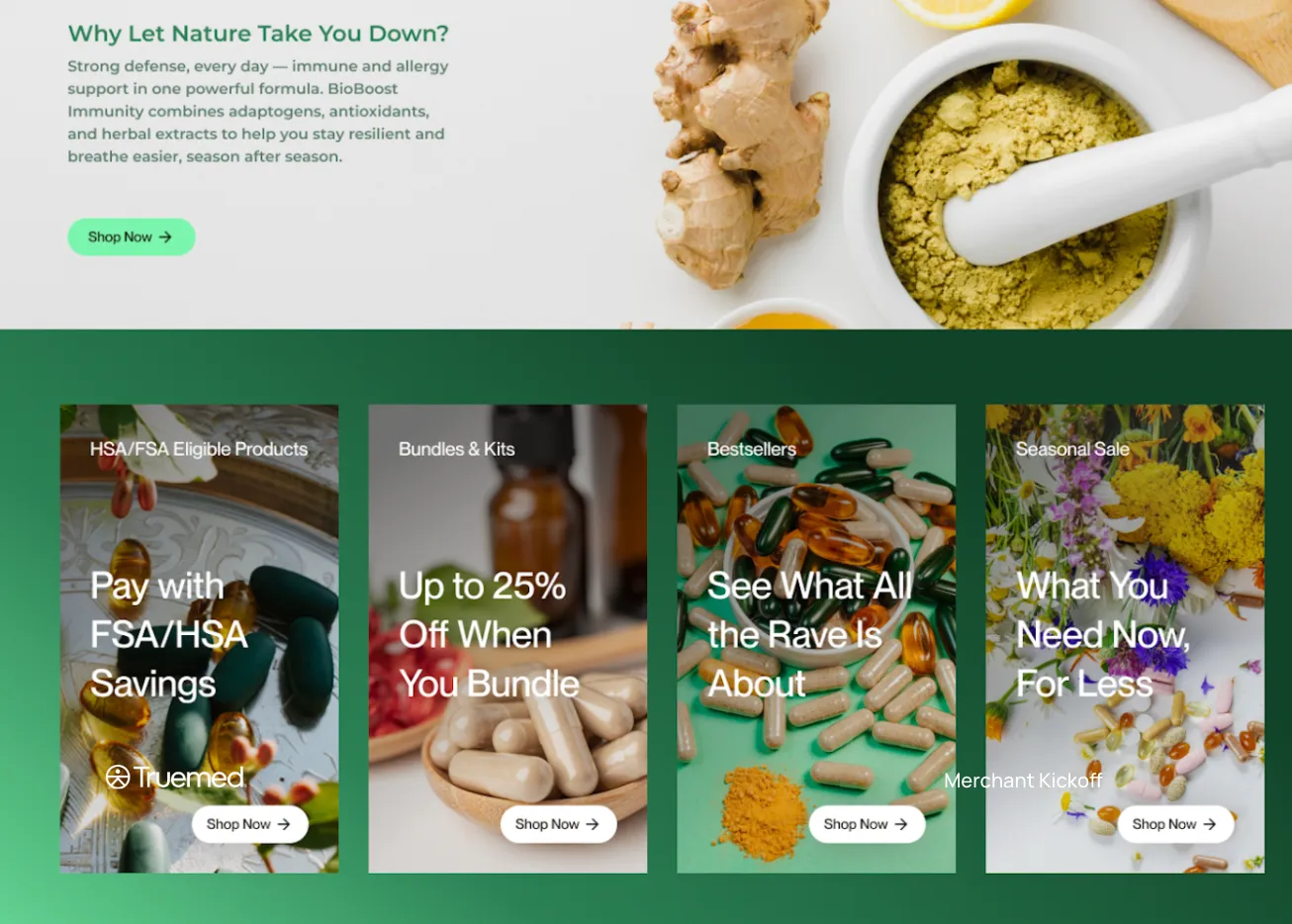
Making it easy for customers to find HSA/FSA-eligible products is one of the simplest ways to increase conversion rates and build trust. A dedicated collection, plus a filter for large catalogs, removes friction and guides high-intent shoppers to the right products.
Why this matters
Most shoppers don’t realize they can use their HSA/FSA funds for your products—until you show them.
Adding “HSA/FSA Eligible” language throughout your site helps:
- Improve customer confidence
- Increase average order value
- Reduce browsing friction
- Boost overall conversion rates
Where to surface eligibility
1. Collection pages
Create a dedicated collection page labeled “HSA/FSA Eligible” so customers can browse all eligible items in one place. On Shopify, you don’t have to curate it by hand — see Build a self-updating collection below.
2. Product filters
Add a filter in your navigation (or sidebar) that lets customers sort by eligibility. This is especially useful if your catalog is large or has mixed eligibility.
3. Product badges or labels
Display an “HSA/FSA Eligible” badge on the product thumbnail and/or product detail page (PDP). This draws immediate attention to qualifying items. See HSA/FSA eligible badges for approved assets.
Build a self-updating collection
Truemed writes an eligibility status onto every product variant it recognizes in your Shopify store. You can use that status as a Shopify collection condition, which gives you a collection that maintains itself: when Truemed re-categorizes a product, Shopify adds or removes it from the collection on its own. No tagging, and nothing to re-run.
The walkthrough below is for Shopify stores. If you’re on another platform or integrating directly with the Truemed API, build the same thing from the Product Catalog webhook instead.
Before you start
- The Truemed Extensions App is installed. The eligibility field only exists on stores that have it. Without the app there is nothing to build a condition against. If you don’t have it yet, install it free from apps.shopify.com/truemed-extensions.
- Every variant has a SKU. SKU is how Truemed matches your Shopify variants to its catalog. A variant with no SKU never receives a status.
- Your products have been reviewed by Truemed. A status is written after Truemed categorizes an item, not when it first appears in your catalog. Check the Products tab in your Truemed dashboard to confirm.
Understanding the statuses
Shopify shows the raw stored values, which are not the labels you see in your Truemed dashboard. Use this mapping:
eligible means pre-approved. It does not mean “eligible with an LMN”.
If you want a collection of everything a customer might be able to buy with HSA/FSA funds, you need both eligible and eligible_with_lmn. A condition matching only eligible returns just your pre-approved products.
Build the collection
Create the collection
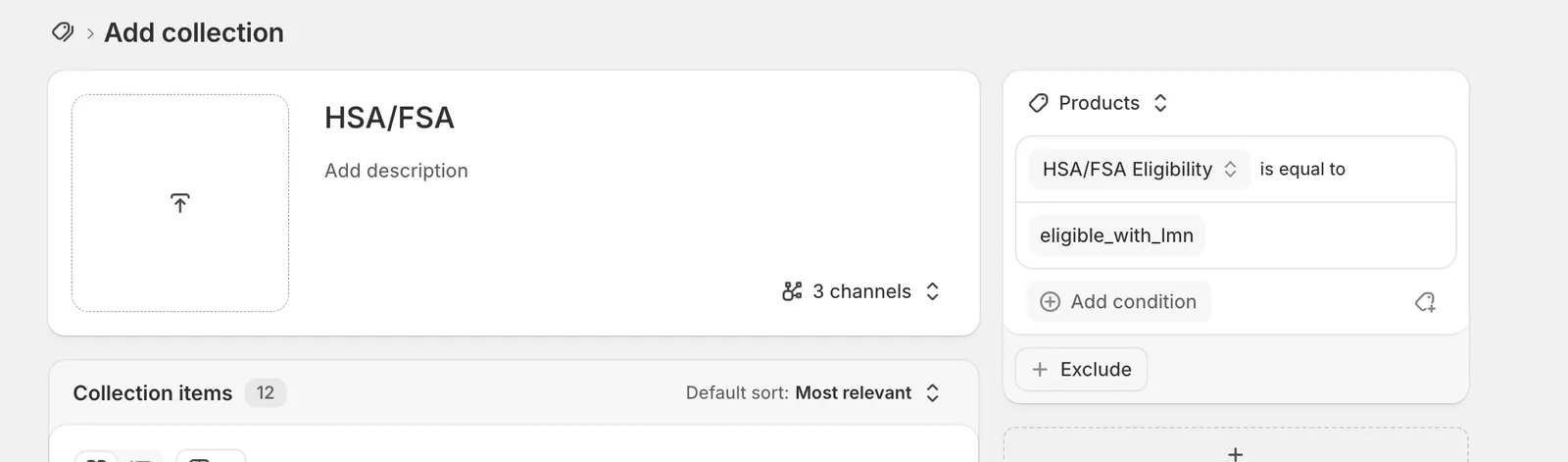
In your Shopify admin, go to Products > Collections and click Add collection. Give it a title like HSA/FSA Eligible. Shopify keeps the collection current once you add a condition in the next step.
Add the eligibility condition
In the conditions panel, open the condition dropdown and choose Metafields first. The individual definitions are nested one level down, so HSA/FSA Eligibility is not on the top-level list of conditions. Pick it from under Metafields.
If it isn’t there, see Troubleshooting below.
Enter the values
The relation is fixed at is equal to. Type the value exactly as Shopify stores it, in lowercase with underscores: eligible, eligible_with_lmn, or ineligible.
To match more than one status, add each value to the same condition. Shopify joins them with OR, so one condition covers as many statuses as you need.
Values are free text, not a dropdown, and they aren’t validated as you type. A typo produces an empty collection rather than an error.
Decide whether to target products or variants
The source selector at the top of the panel switches between Products and Variants. Truemed’s status is a per-variant value, so targeting Variants means only the variants that actually match appear in the collection. Targeting Products brings in the whole product when any one of its variants matches.
If mixed-eligibility products are common in your catalog, target variants.
Shopify rebuilt the collections experience in July 2026. If your admin still shows a Collection type choice of Manual or Automated, you’re on the previous version: pick Automated, and add one separate condition per status with Products must match: any condition instead of putting several values on one condition. Everything else in this guide applies unchanged.
Troubleshooting
If you run into issues building the collection, or you think a product is categorized incorrectly, email merchants@truemed.com and we’ll help.
Real-world results
Merchants who implement these changes often see:
- Higher conversion rates
- More confident, faster purchasing decisions
- Increased cart sizes from HSA/FSA buyers
Even small UX improvements like these make a big difference in performance.
Any HSA/FSA claim in your marketing needs Truemed’s disclaimer. Review Compliant HSA/FSA messaging before you publish.