

Capturing payments
Truemed orders reach a capturable state on a different schedule than standard Shopify orders, because payment can’t be captured until a Letter of Medical Necessity (LMN) has been issued. If your store uses manual capture, this page covers what changes and how to avoid leaving orders uncaptured.
If your store captures automatically as soon as payment is authorized, there’s nothing to do. Truemed orders capture on their own once the LMN is issued.
Check your capture method
Go to Shopify Settings → Payments and check the Payment capture method.
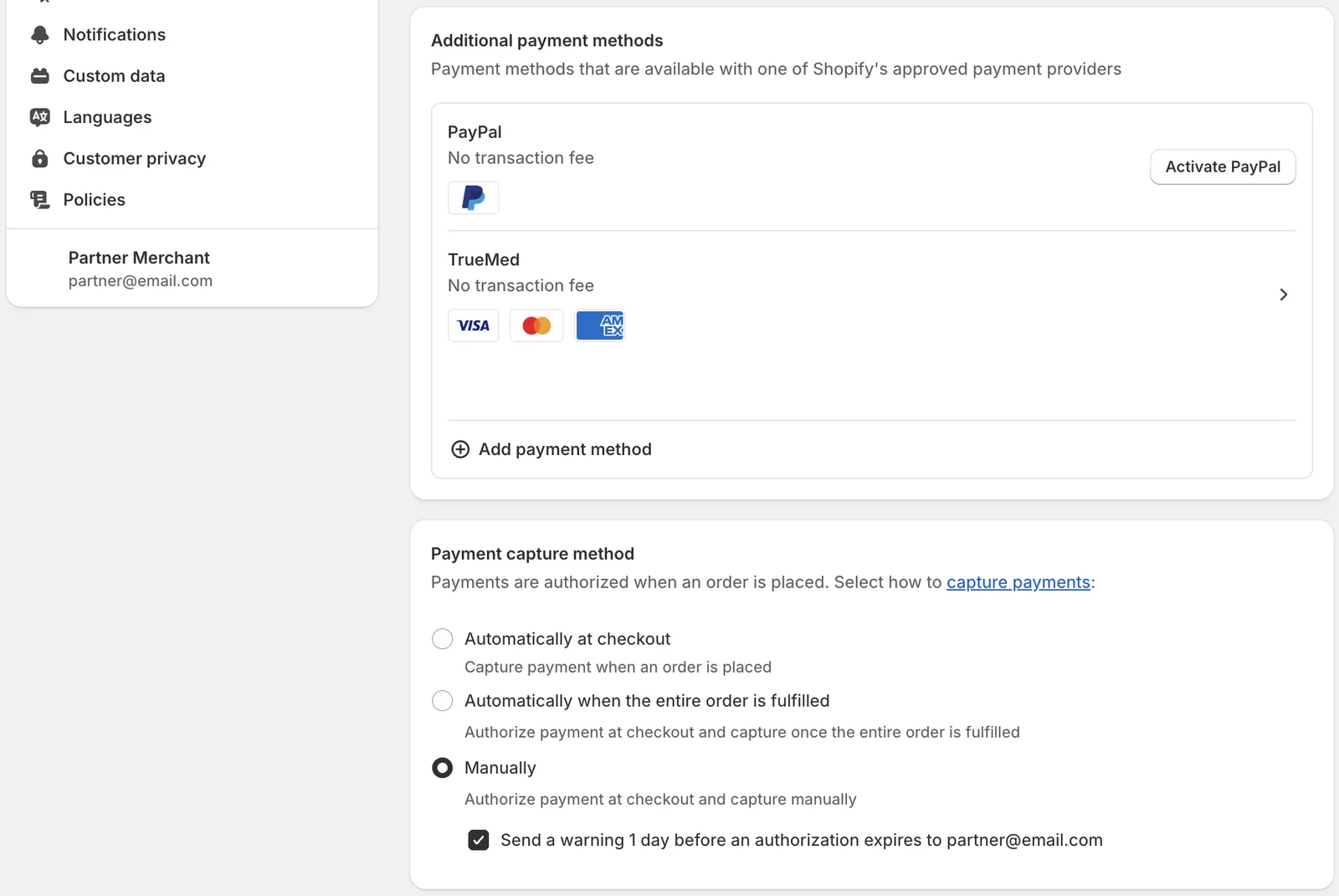
This page applies if you’re set to either:
- Automatically when the entire order is fulfilled
- Manually
This does not apply to Truemed’s “Compliant Capture” flow, where orders are blocked from being fulfilled or marked as paid until an LMN is issued.
What changes for Truemed orders
A standard Shopify order is authorized and capturable the moment it’s placed. A Truemed order is not.
- Order created. The order appears in Shopify, an authorization is placed on the customer’s card, and the order sits in Payment pending. It cannot be captured yet.
- LMN issued. A licensed provider reviews the customer’s health survey. Timing varies and sits outside the normal Shopify workflow.
- Order moves to Authorized. This can take up to 48 hours from when the order was placed. Only now is the order capturable.
- You capture, either manually or through automation.
See Financial statuses for the full status reference.
The capture window
Once an order reaches Authorized, you have 7 days to capture it. After that the authorization expires and the funds are released.
Expired authorizations cannot be captured after the fact. Once the underlying Stripe authorization has expired, the only option is for the customer to place a new order.
Capturing manually
From the Orders list, select the orders you want and use bulk capture:
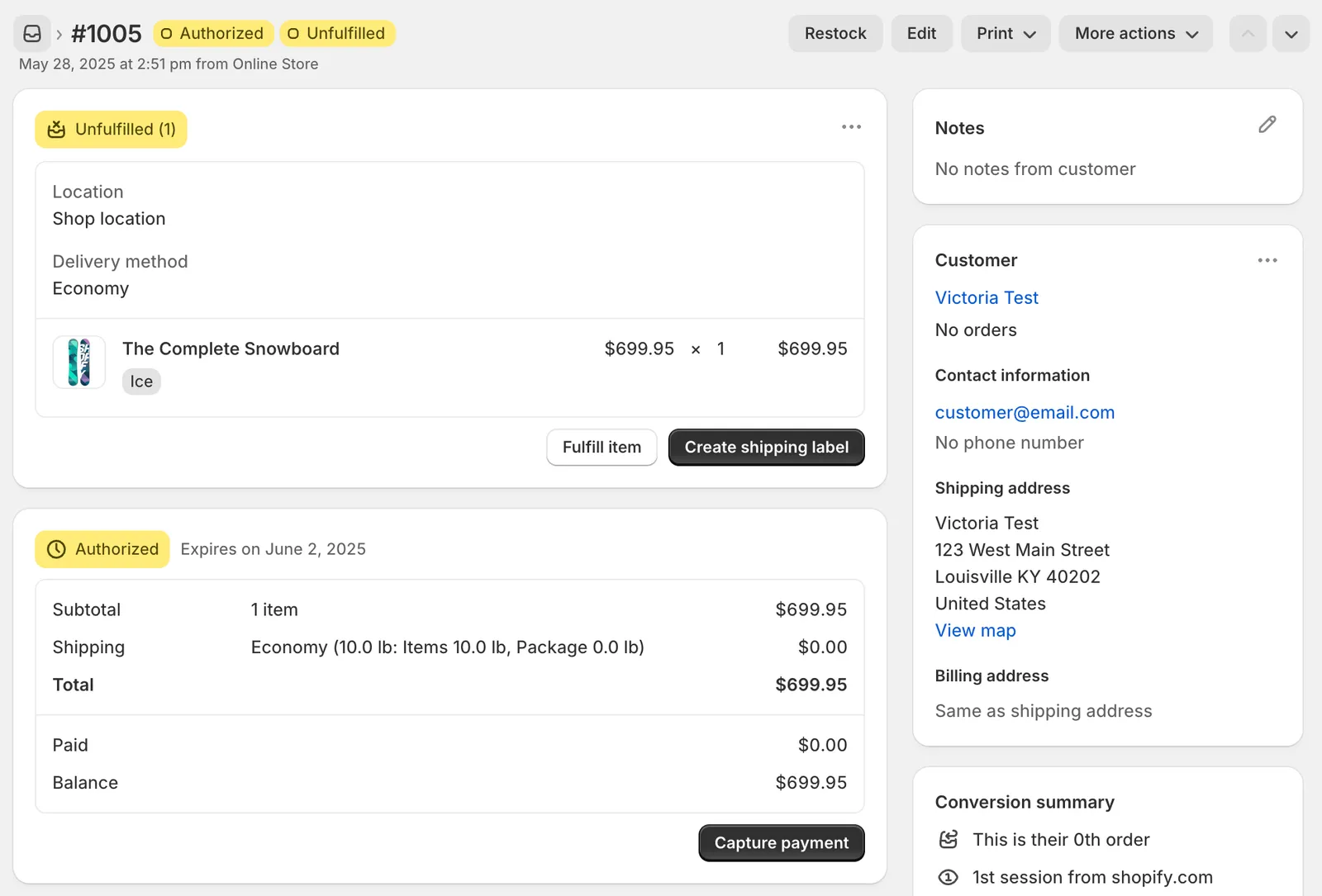
Or open an individual order and click Capture payment:
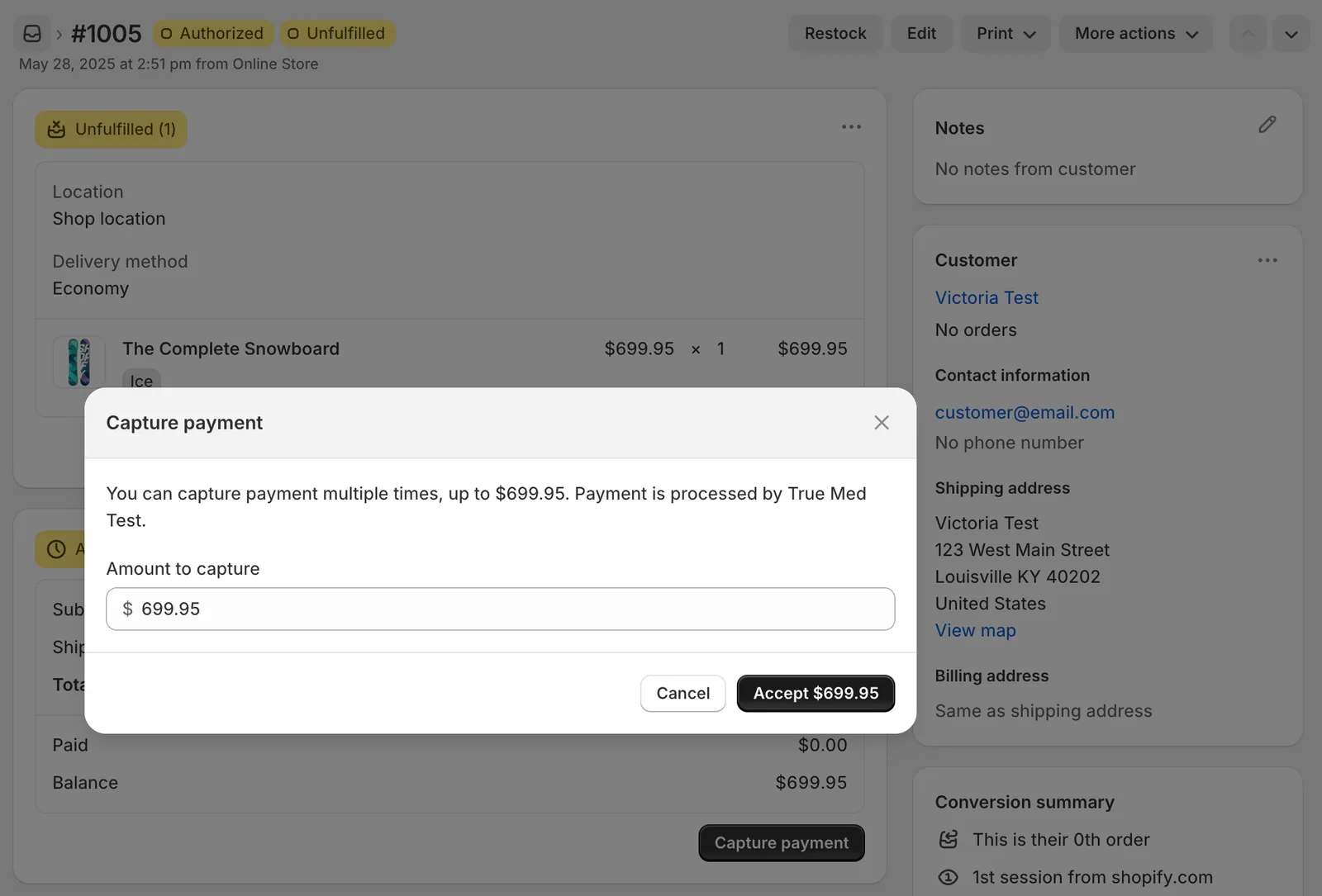
You can only capture payment once per order. Partial captures are not supported.
Automating capture with Shopify Flow
If you want Truemed orders captured automatically while keeping manual capture on for everything else, build a dedicated Shopify Flow for them.

The flow above captures a Truemed order once its transaction is created, the gateway is Truemed, the transaction kind is AUTHORIZATION, and the order is capturable. Rebuild it in the Shopify Flow app, or email merchants@truemed.com for an importable .flow file.
Every fulfillment setup is different. Test thoroughly in your own environment before relying on this in production.
Common problems
Missed captures. The most common failure. It happens when capture automation runs before the order has reached Authorized, when the automation has no retry logic to re-check status, or when the capture window is too narrow to absorb the LMN delay. Build in retries so a single early pass doesn’t strand the order.
Orders sitting uncaptured. Usually means the fulfillment process wasn’t adjusted for the pending-to-authorized delay. Check for Authorized orders older than a day that nothing has picked up.
Need help?
Reach out to merchants@truemed.com if you have questions about your payment settings.