

Products and SKUs
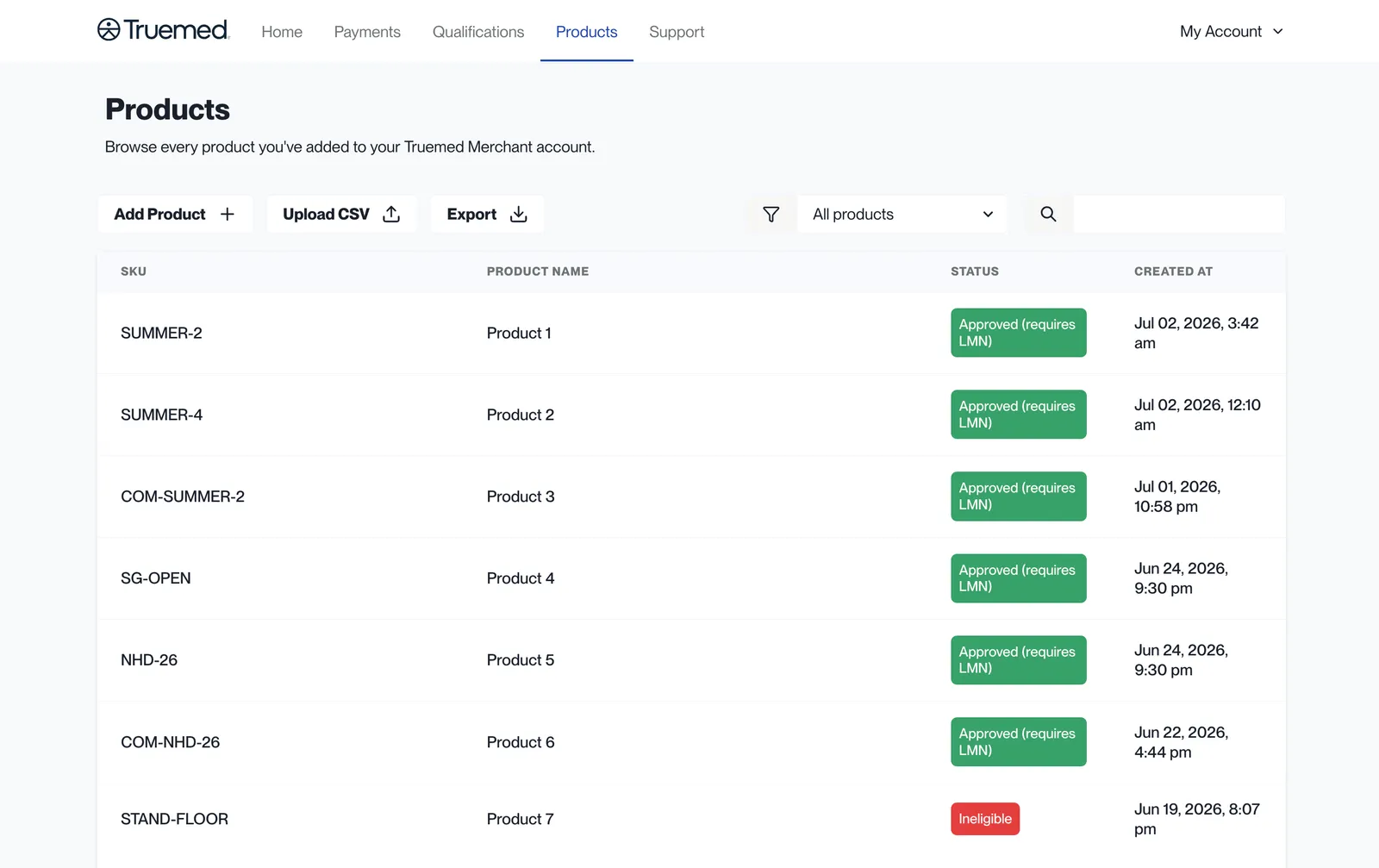
The Products tab in the Truemed dashboard lists every product Truemed knows about, with its SKU, name, eligibility status, and creation date. This page covers working with that tab.
Every product has to be reviewed by Truemed’s compliance team before it can be sold with HSA/FSA funds. Products we haven’t seen default to ineligible, which is the single most common reason a customer hits an eligibility problem at checkout.
Don’t tag products as HSA/FSA eligible yourself. Eligibility is assigned by Truemed’s compliance team, and platform tags alone do not enable HSA/FSA checkout.
On Shopify, Truemed also writes each variant’s status back to your store, where you can use it as a collection condition. See HSA/FSA eligible collections.
What you can do
- Search and filter your products by status
- Add products individually or upload a CSV
- Export every product currently in the system
Both account Owners and Staff can upload, view, and download SKU data.
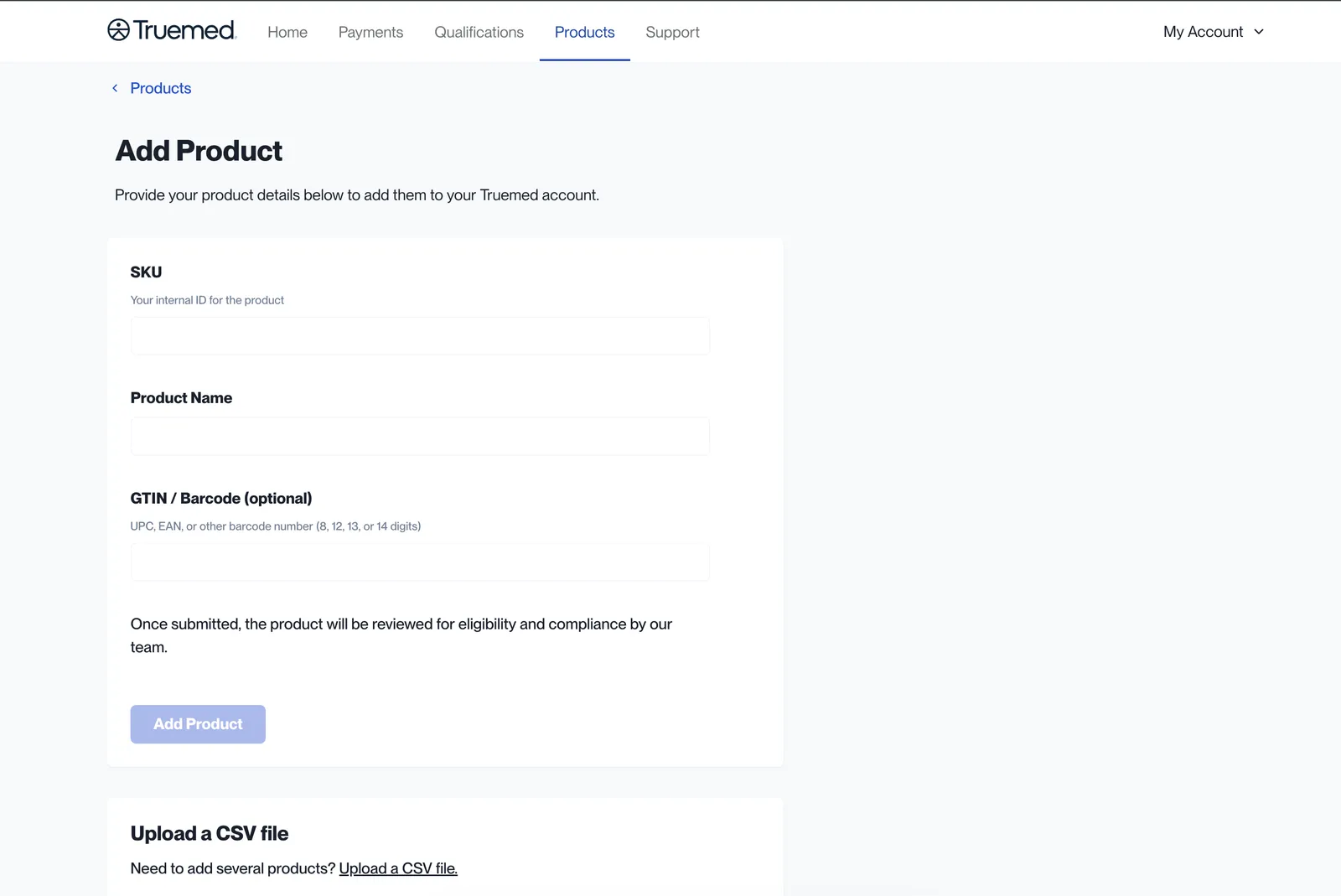
Adding a single product
Click Add Product and provide:
- SKU — your internal identifier for the product
- Product name
- GTIN / barcode (optional) — a UPC, EAN, or other barcode number
The product is then queued for eligibility review by the Truemed compliance team.
Uploading a CSV
For anything larger than a handful of products, use Upload CSV.
Shopify
- Go to Shopify Admin > Products
- Filter the list to Active products
- Click Export in the upper right
- Select “Products matching your current search or filter” and “Plain CSV File”
- Click Export Products
Choosing “All products” in the export dialog ignores the Active filter and exports your drafts and archived items too. Pick the option that matches your filter.
Use the standard Shopify export rather than a custom format. Every variant needs a Variant SKU before you export, or those rows are skipped on upload.
WooCommerce
- Go to WooCommerce > Products
- Use the built-in export tool or a plugin like WP All Export
- Export as CSV with columns: Name, SKU, Description
API and other platforms
Truemed reads the same column names Shopify exports, which is why a raw Shopify export works without editing. If you’re building the file yourself, match these headers:
Header matching is case- and punctuation-insensitive, so Variant SKU, variant_sku, and variant sku all work.
If your platform can’t produce a CSV in this shape, contact merchants@truemed.com and we’ll work with you on a solution.
Upload the file
- Log in to app.truemed.com
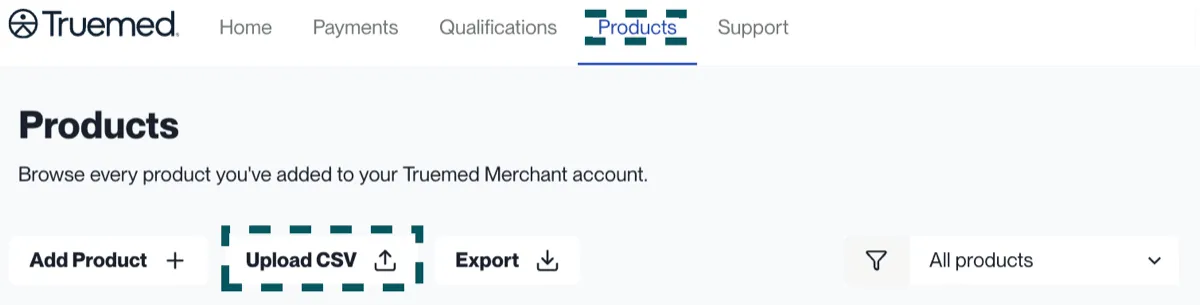
- Click the Products tab
- Choose Upload CSV and select your file
- Each product appears in the table with a status label
Large catalogs are fine. If a very large file gives you trouble, email merchants@truemed.com.
Eligibility statuses
Each product in the table carries one of five statuses.
Awaiting review and Ineligible look the same to your customer but mean different things to you. A product sitting in Awaiting review may still be approved. If a launch is coming up, upload those SKUs early rather than waiting for a customer to hit the problem.
Some approved products carry partial eligibility, meaning only part of the item’s price qualifies, based on a comparable-item baseline. This is a property of the item rather than a status of its own, so a partially eligible product still shows as Pre-approved or Approved (requires LMN). The qualifying amount is reflected in the LMN.
For what pre-approved and eligible-with-LMN mean for the customer’s checkout experience, see Eligibility.
Keeping your catalog current
If you add products after launch, there are two ways Truemed handles them:
- Upload SKUs in advance through the Products tab. This is the recommended path — eligibility is settled before a customer ever sees the product.
- Automatic fallback. If an unrecognized SKU appears in a customer’s checkout, Truemed ingests and categorizes the new item behind the scenes.
Upload your full list:
- Once per quarter, as a routine refresh
- Before launching new products, so they’re categorized by the time customers see them
- Whenever a customer reports a product showing as ineligible that should qualify
Reviews typically take 1–2 business days. Pre-approved merchants should note that variants missing GTINs (barcodes) can’t be ingested and add another 1–2 days.
Related
- Eligibility — how Truemed categorizes products and what each outcome means
- SKU upload troubleshooting — failed uploads, products stuck in review